
Jira Integration
The uploading of execution results to Jira will be done from two points in TAST.
1. From the TAST Client when the TCDs of the Test Set are executed.
Previously, in TS Execution/Management, check the Upload to Jira/Xray checkbox and fill in the form.
From this point the Test Set and TCDs will be created and linked in Jira.
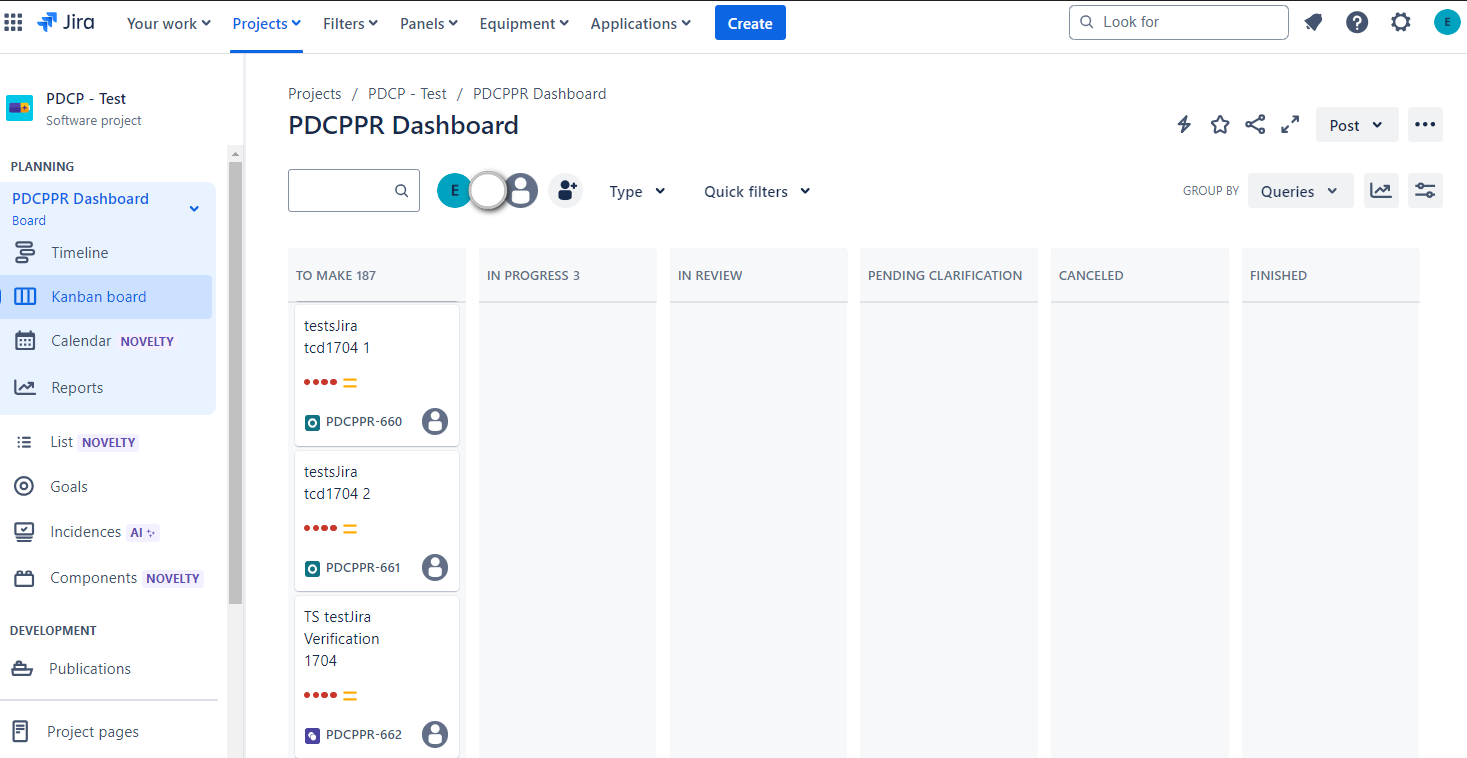
2. From Results, by selecting the Results upload icon  'Upload to Jira/Xray' option.
From here Test Execution and TCDs will be created and linked.
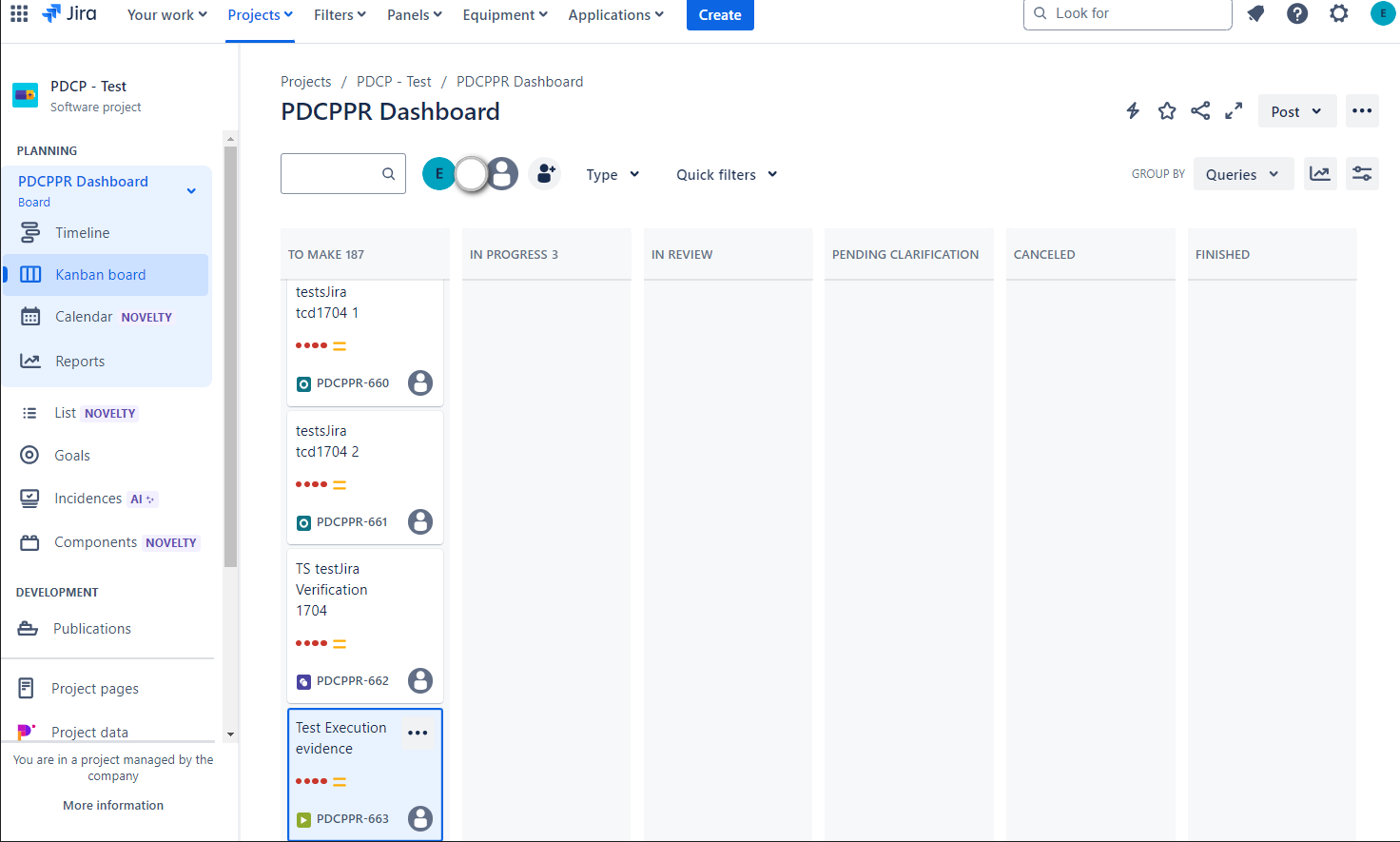
TCD
- When uploading to Jira all TCDs will lose the prefix "tcd_".
- The name shall be composed of the name of the diagram and the description of the TCD, if any. The structure would be:
nameDiagramname Diagram description.
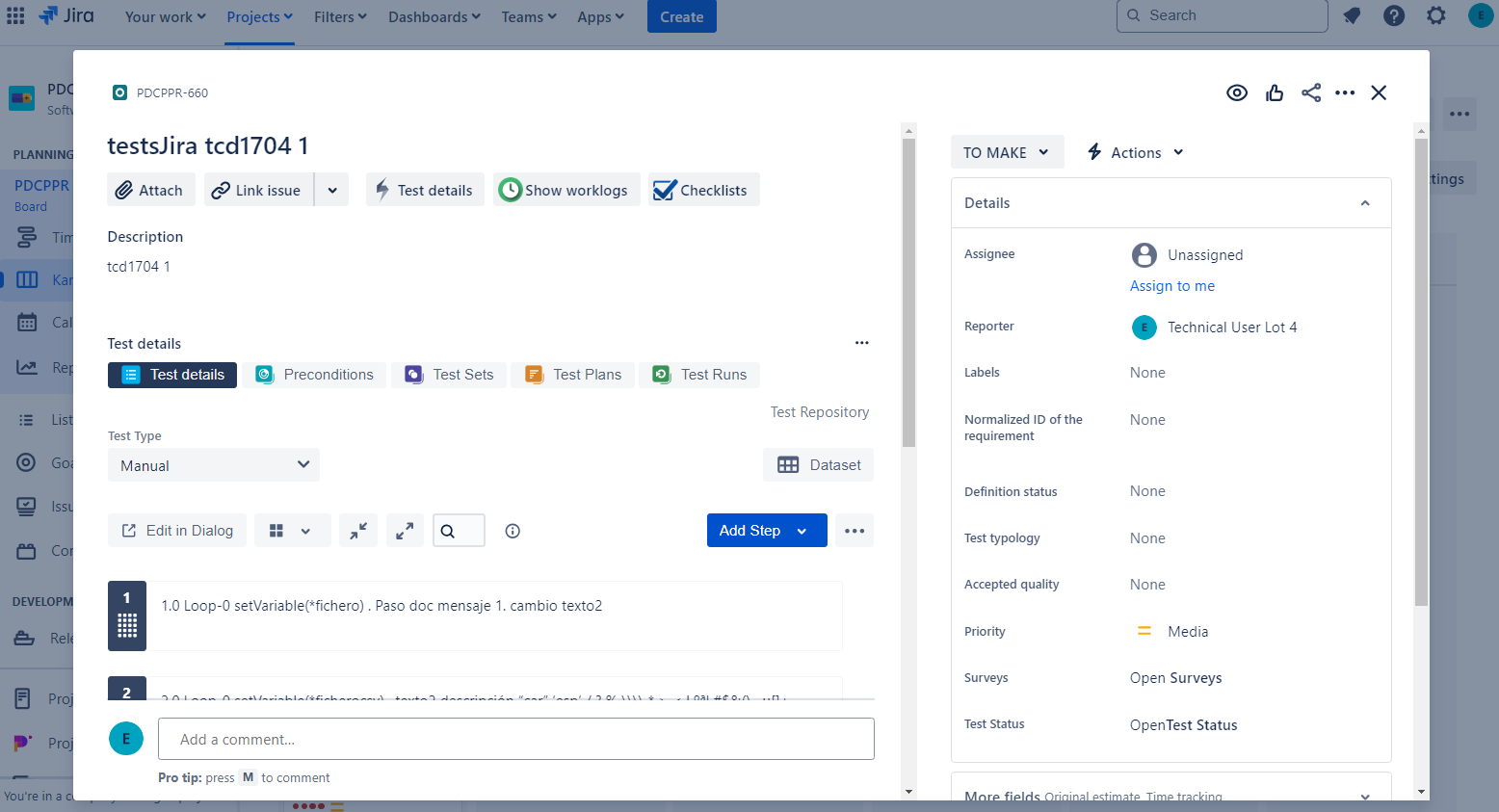
In case there is no description in Tast, in Jira it shall be introduced:
diagram_ID_name; as in the description field;
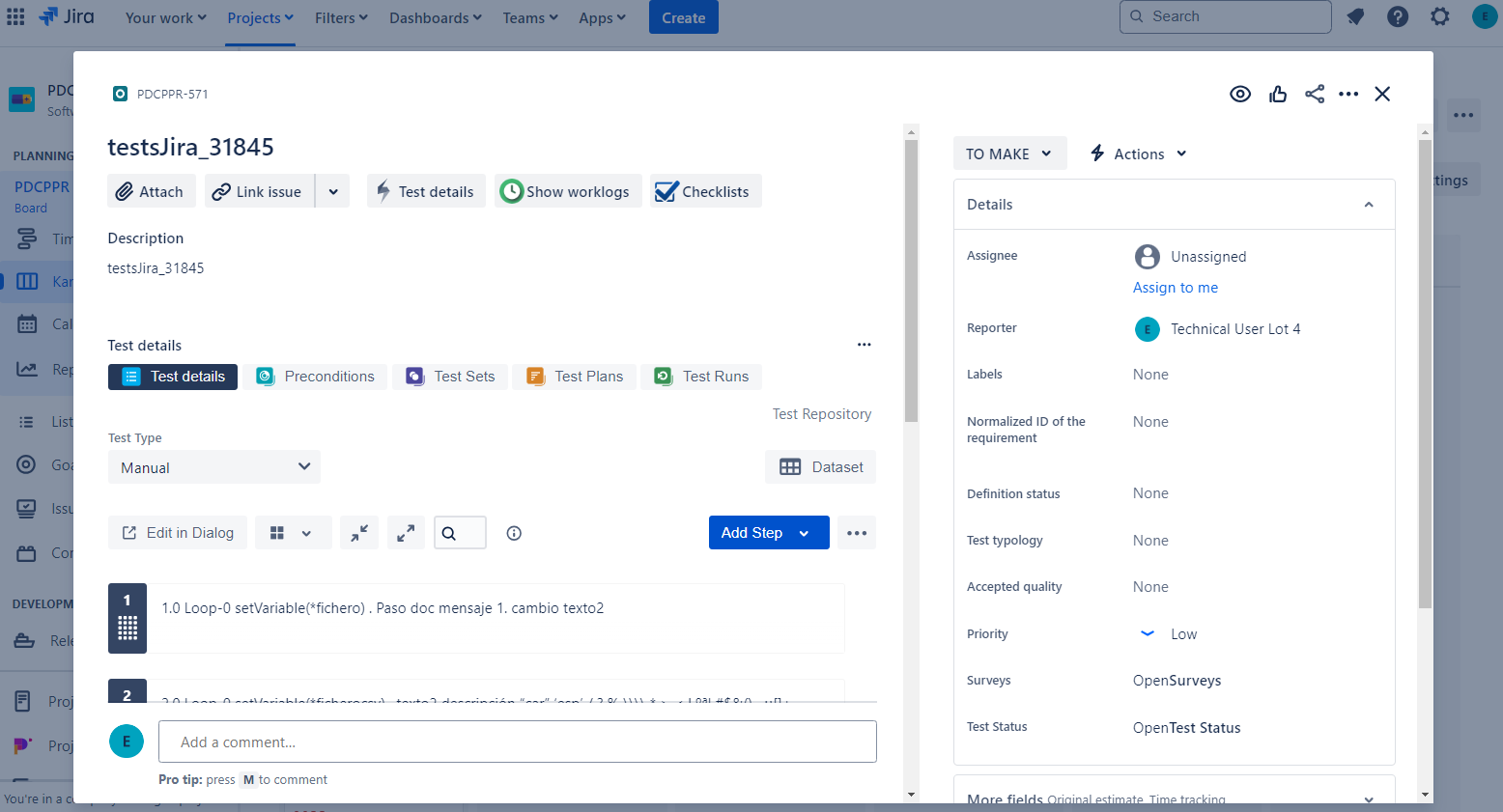
except in the validation TCD where only the name of the diagram is entered.
- If the name of the diagram or the description changes in Tast, a new TCD shall be created linking it to the TS.
TEST SET
- They are created from the execution on the client having checked 'Upload to Jira' from TS Management.
- If there is no Test set with this name, you must create it, as well as the TCDs; if they are not linked, they are linked. If the name of the TS is changed, a new TS is created in Jira and the TCDs are linked to it.
- In case the description field within the Tast form changes from one execution to another, it must change in Jira.
- If the description is empty in the Tast form, when creating a new TS, the description field will contain the name of the TS. If the TS is not new, the description should not change.
- No evidence is uploaded to Jira, but documented steps are uploaded to TCDs, rewriting them if they already exist, or undocumented steps if they fail.
- The Tast upload form consists of the Project in Jira (Dropdown), Test Set Name(Dropdown with text) and description(Text).
TEST EXECUTION
-
They are created from Results, Results upload icon, option
 'Upload to Jira/Xray'.
-
TCDs are also created, if not already created, and linked to Test Execution.
-
No action is taken on the TS. If the TCDs are new, they will not be linked to the TS.
-
If no Test Execution with the name entered in the Tast form exists, it must be created. If it does exist, it updates it.
-
For new Test Executions, if the description in the Tast form is left blank, it will remain as such in Jira. If you change from one upload to another, you must change it to the last one; if you leave it blank, you must respect the description of the previous upload.
-
If the Step-by-Step check is ticked, all documented steps must be uploaded; also when the step fails and is not documented. If it is not checked, no step should be uploaded, and the previous steps should be deleted.
-
If the check box for Upload evidence document is ticked, in addition to the Word document, the evidence of the documented steps are uploaded; or also when the step fails and is not documented.
-
When uploading evidence, you must delete the evidence from previous executions, except for the Word evidence. All those that are not images must be uploaded, except for a TakeScreenshot or a getPageasImage.
-
In case it is not marked, you must delete all the previous ones except the Word.
-
The log and png of the diagram will always be uploaded whether it is checked or not.
-
The upload form consists of Jira Project (drop-down), Name of the Test Execution, which is a drop-down where you can write, in the drop-down you have to show all the Test Execution that exist in the project; Description (Text), Step by Step check, Upload Evidence document check.