
Create a new diagram
This option of the TAST tool allows create a new diagram.
Below, the screen to create a new diagram:
En la versión en español he añadido cuatro pantallas
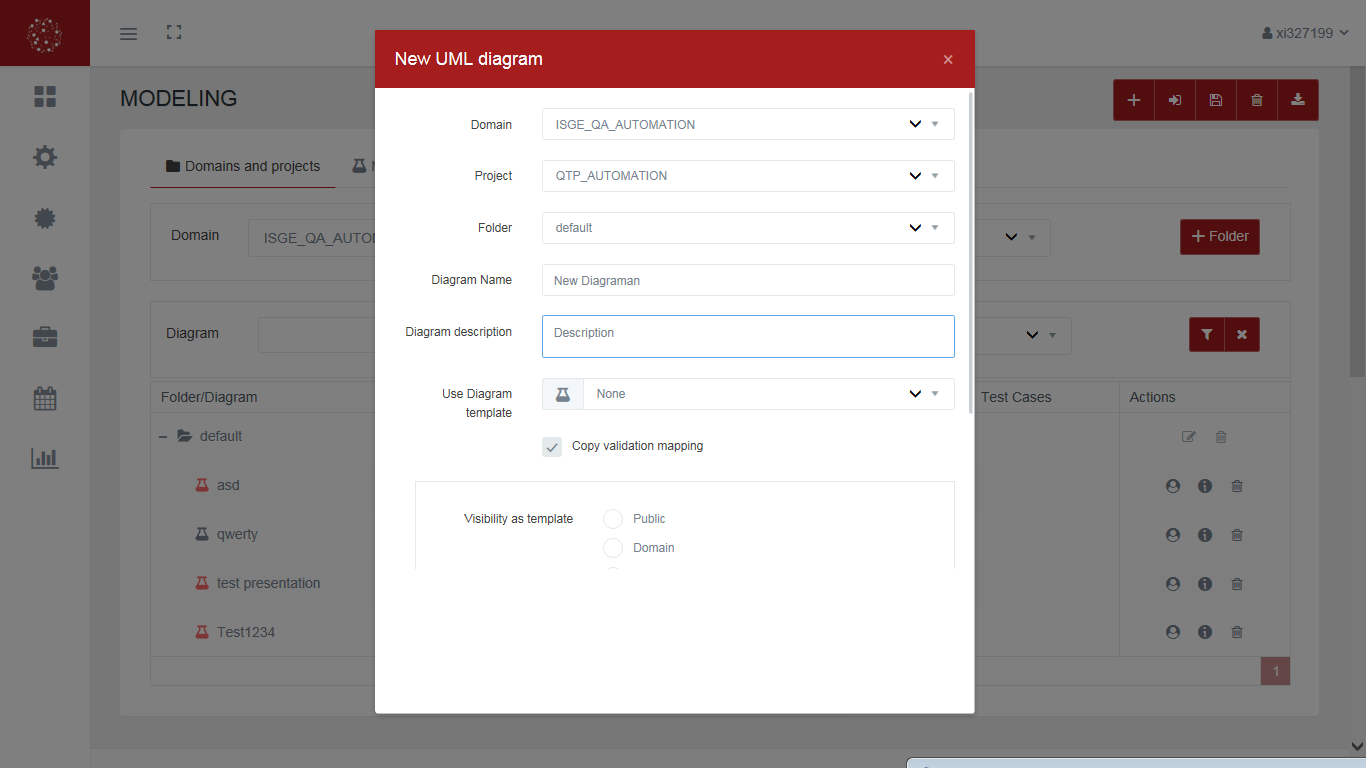
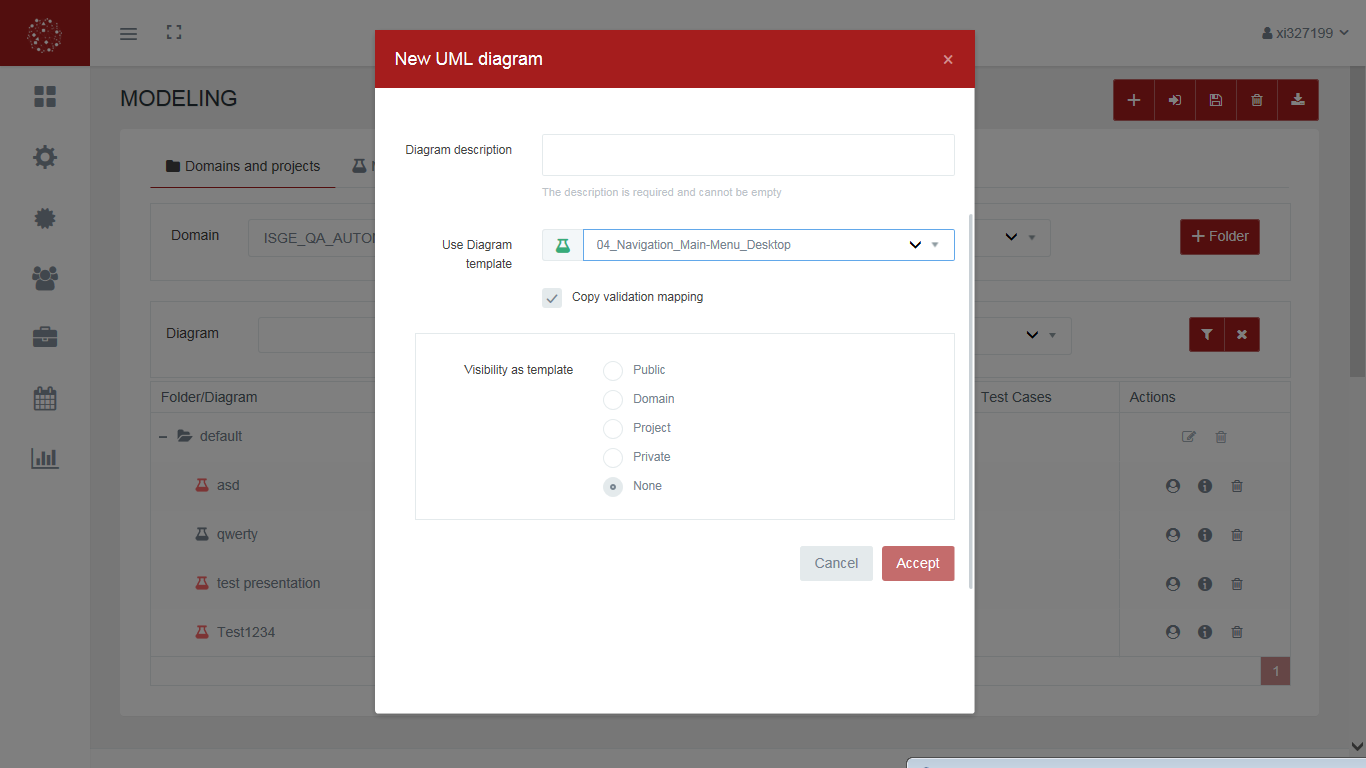
This screen allows:
-
Select the location where we want to import the file:
-
Domain
-
Project
-
Folder
-
-
Enter the name and description of the diagram.
-
Select or not a base template for the realization of the diagram.
-
Determine the visualization of the diagram in the system.