Ejemplo Adaptador Objeto de Usuario
Descripción
A través del Adaptador de Objeto de Usuario, TAST utiliza su entorno de memoria para gestionar variables, con respecto a ayudar en el control del flujo de ejecución del diagrama. El Adaptador de Objeto de Usuario, es el adaptador que permite realizar las comparaciones y comprobaciones que un usuario final realizaría manualmente, es decir, automatiza las funciones que puede realizar un tester, comparación de datos, establecimiento de condiciones, etc.
Como parte del proceso de mapeo, debe proporcionar la información del adaptador. Este adaptador, a diferencia del resto de adaptadores, no tiene parámetros de inicialización, es decir, no se establece ninguna información durante la inicialización del adaptador, la información necesaria se obtiene utilizando las diferentes funciones predefinidas.
Enunciado del ejercicio
Calculate the addition of 5 integers.
Resolución del caso de prueba
You have to declare them as a variable in H-TEST:
- setVariable(): creates a variable whose name is entered as a parameter. The types of variables are: TastTableData, String, Integer, Double, Date or Boolean. We have declared five variables, type INTEGER and we have given a value to each one:
-
-
- Variable 1 = value 2
- Variable 2 = value 11
- Variable 3 = value 15
- Variable 4 = value 43
- Variable 5 = value 7
-
This is the link to the following diagram: https://app.htest.testautomationsystemtool.com/opendiagram?id=195
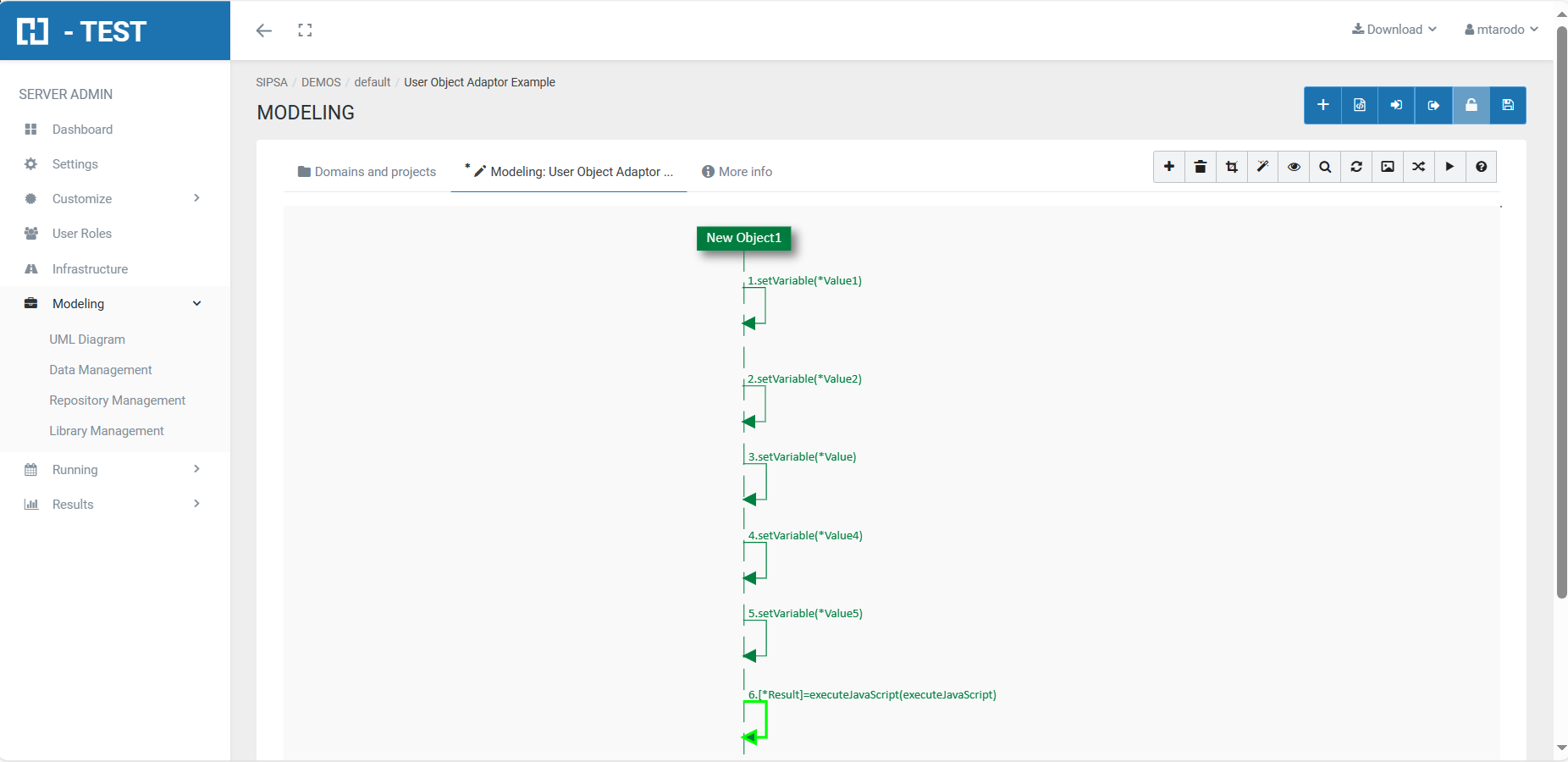
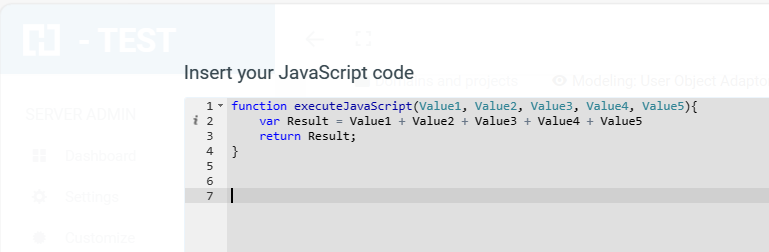
To perform the addition:
- executeJavaScript(NameFunction): executes the javaScript function whose name is entered as a parameter. The function may have input parameters and return a value. The input parameters will be the variables defined with setVariable, or the results of other predefined functions. The value returned is stored in the output variable.
Ejecución del Test Set
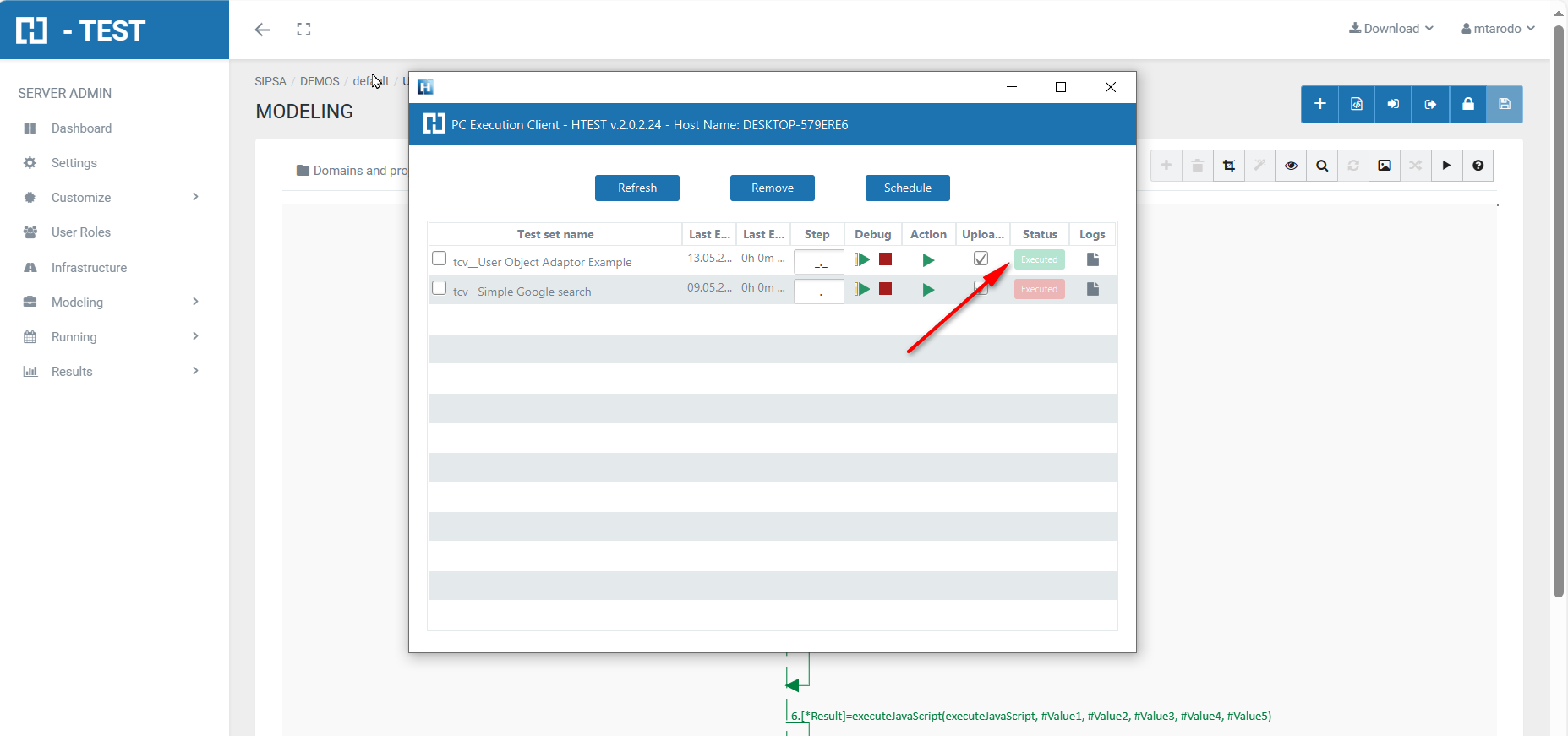
When we finish executing this test case, we see if it has been executed correctly:
Captura de resultados
We then open the icon on the right (marked with a red arrow) and we have as a result the evidence folder, where both the log of the execution is stored, as well as all the screenshots, files, etc... if we have checked the "Evidence" box in the general settings of the diagram.
Log de la ejecución
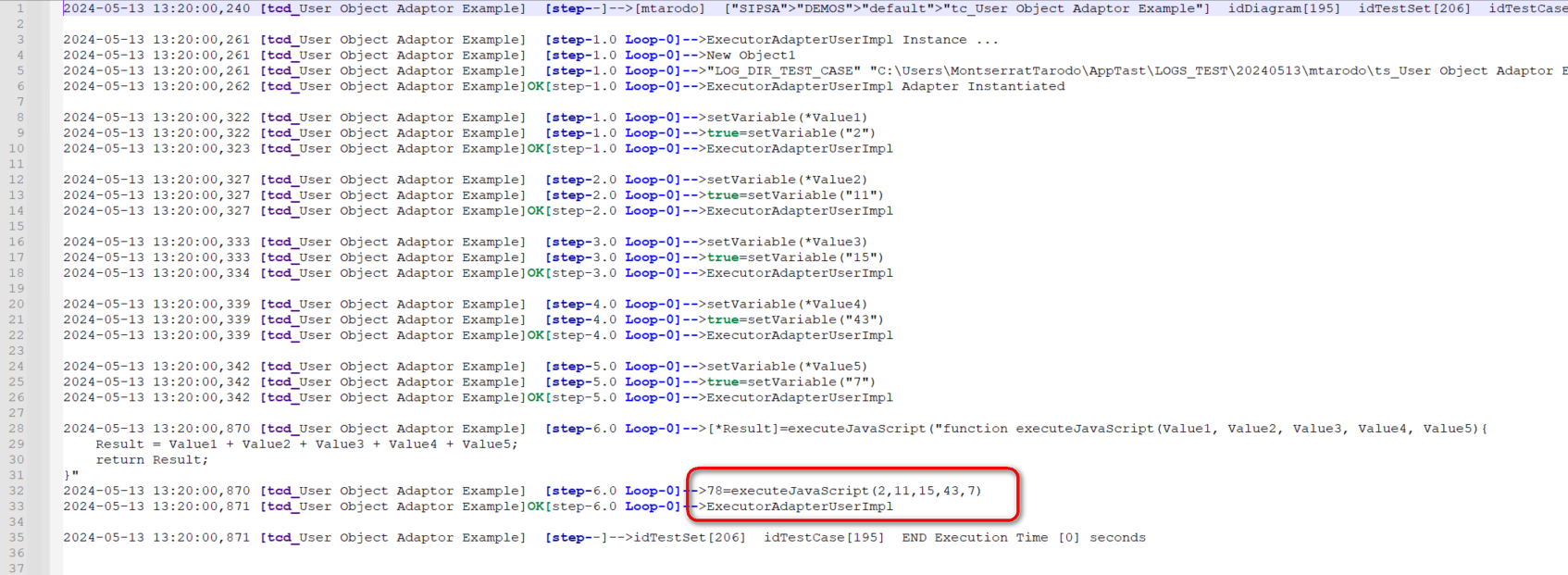
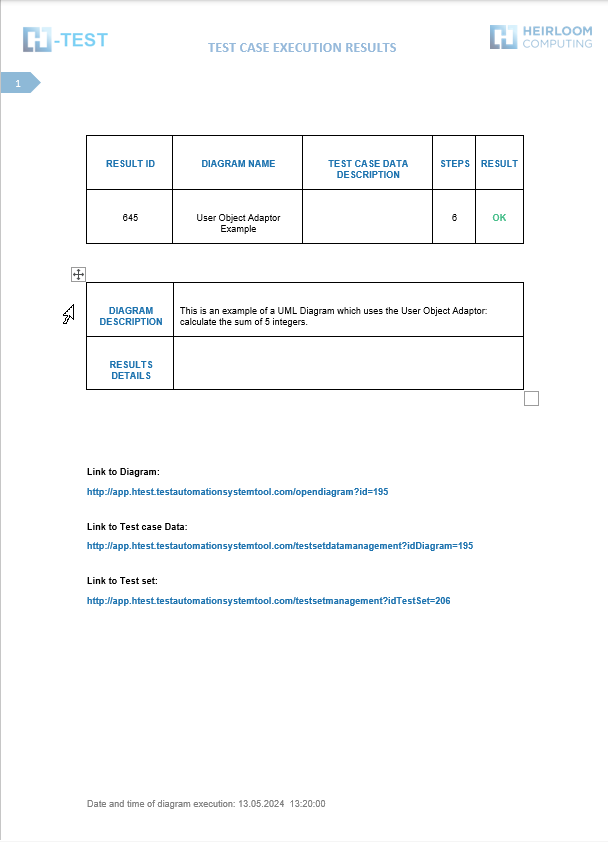
When returning the results, H-TESTT returns a Word document, detailing the steps we have performed, the results obtained from each step, the links to the diagram and the test set, if we have clicked on download document in the Results box.